
Identiv Fido2 Nfc Security Key Usb-A (Fido2, U2F, Piv, Totp, Hotp, Webauth) Two Factor Authentication Identiv Fido2 Nfc Security Key Usb-A (Fido2, U2F, Piv, Totp, Hotp, Webauth) Two Factor Authentication Security For Laptop / Pc – Gb 16Security For Laptop / Pc – Gb 16







₹3,527.22
Additional information
| Memory Storage Capacity | 16 GB |
|---|---|
| Hardware Interface | USB |
| Additional Features | Lightweight |
| Read Speed | 100 Megabytes Per Second |
| Network Connectivity Technology | USB |
| Flash Memory Type | USB |
| Hardware Connectivity Technology | USB Type A |
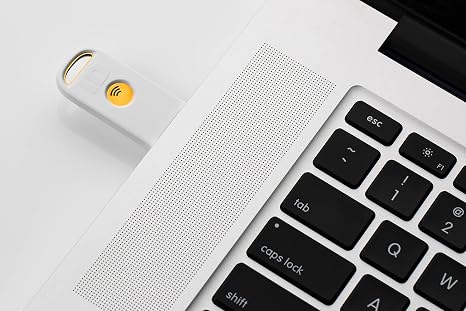
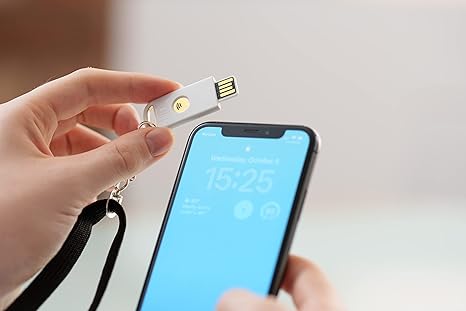
| Compatible Devices | Laptops, PCs, Mobile devices with USB-A to USB-C adapter, Apple devices |
Your Title Goes Here
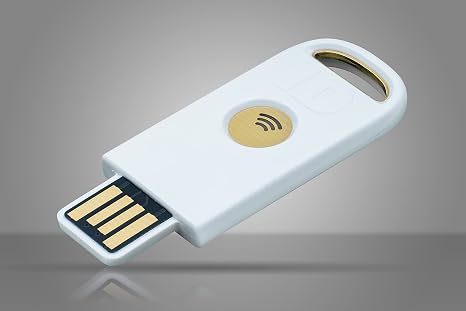
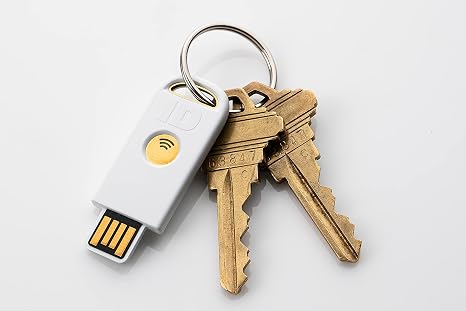
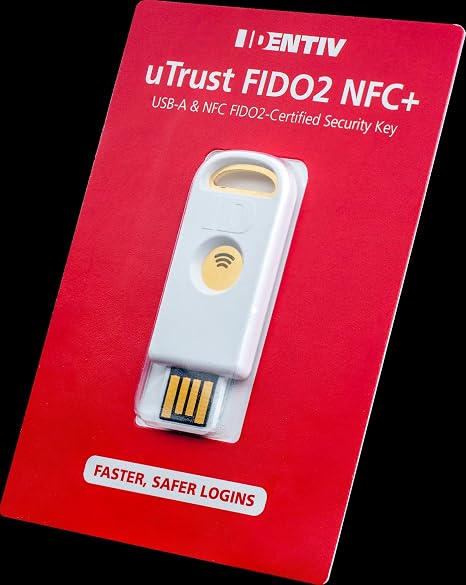
Identiv’s uTrust FIDO2 NFC Security Key allows you to replace passwords with a secure, fast, scalable, FIDO Alliance certified cost-effective login solution. The cryptographic security model of the devices eliminates the risk of phishing, password theft, and replay attacks. This key also features near field communication (NFC) functionality for contactless sign-on to applications. Secure and protect your Apple ID with the uTrust FIDO2 NFC Security Key for Two-Factor Authentication (Settings – Apple ID – Sign in and Security – Two-Factor Authentication: ON – Security Keys Set up). HOTP is enabled on the key. A secret key in hex must be obtained from backend server and added through the uTrust Key Manager tool. The uTrust Key Manager is available for Windows OS and can be used to manage the FIDO PIN. Support for macOS coming soon. Alternatively, macOS users can use their Google account and/or their Microsoft online account to setup 2-step verification and manage the FIDO PIN. FIDO/FIDO2 STANDARD Registration: During the registration process, you will be prompted to register the FIDO2 device (ie. the uTrust FIDO2 security key) with services like Gmail, Facebook, Salesforce etc.. The uTrust FIDO2 Key generates a pair of cryptographic keys: a public key (sent to the service) and a private key (kept secure on the device). Authentication happens automatically behind the scenes When the user needs to authenticate, the service sends a challenge to the user’s device. The device uses the private key to sign the challenge and sends the signed response back to the service. The service verifies the signature using the previously registered public key to confirm the user’s identity.
Your content goes here. Edit or remove this text inline or in the module Content settings. You can also style every aspect of this content in the module Design settings and even apply custom CSS to this text in the module Advanced settings.
Your content goes here. Edit or remove this text inline or in the module Content settings. You can also style every aspect of this content in the module Design settings and even apply custom CSS to this text in the module Advanced settings.
Your content goes here. Edit or remove this text inline or in the module Content settings. You can also style every aspect of this content in the module Design settings and even apply custom CSS to this text in the module Advanced settings.
Identiv Fido2 Nfc Security Key Usb-A (Fido2, U2F, Piv, Totp, Hotp, Webauth) Two Factor Authentication Identiv Fido2 Nfc Security Key Usb-A (Fido2, U2F, Piv, Totp, Hotp, Webauth) Two Factor Authentication Security For Laptop / Pc – Gb 16Security For Laptop / Pc – Gb 16
₹3,527.22
Technical Specifications
Product Catalogue
Product Specifications
| Memory Storage Capacity | 16 GB |
|---|---|
| Hardware Interface | USB |
| Additional Features | Lightweight |
| Read Speed | 100 Megabytes Per Second |
| Network Connectivity Technology | USB |
| Flash Memory Type | USB |
| Hardware Connectivity Technology | USB Type A |
| Compatible Devices | Laptops, PCs, Mobile devices with USB-A to USB-C adapter, Apple devices |
Product Information
Identiv’s uTrust FIDO2 NFC Security Key allows you to replace passwords with a secure, fast, scalable, FIDO Alliance certified cost-effective login solution. The cryptographic security model of the devices eliminates the risk of phishing, password theft, and replay attacks. This key also features near field communication (NFC) functionality for contactless sign-on to applications. Secure and protect your Apple ID with the uTrust FIDO2 NFC Security Key for Two-Factor Authentication (Settings – Apple ID – Sign in and Security – Two-Factor Authentication: ON – Security Keys Set up). HOTP is enabled on the key. A secret key in hex must be obtained from backend server and added through the uTrust Key Manager tool. The uTrust Key Manager is available for Windows OS and can be used to manage the FIDO PIN. Support for macOS coming soon. Alternatively, macOS users can use their Google account and/or their Microsoft online account to setup 2-step verification and manage the FIDO PIN. FIDO/FIDO2 STANDARD Registration: During the registration process, you will be prompted to register the FIDO2 device (ie. the uTrust FIDO2 security key) with services like Gmail, Facebook, Salesforce etc.. The uTrust FIDO2 Key generates a pair of cryptographic keys: a public key (sent to the service) and a private key (kept secure on the device). Authentication happens automatically behind the scenes When the user needs to authenticate, the service sends a challenge to the user’s device. The device uses the private key to sign the challenge and sends the signed response back to the service. The service verifies the signature using the previously registered public key to confirm the user’s identity.